
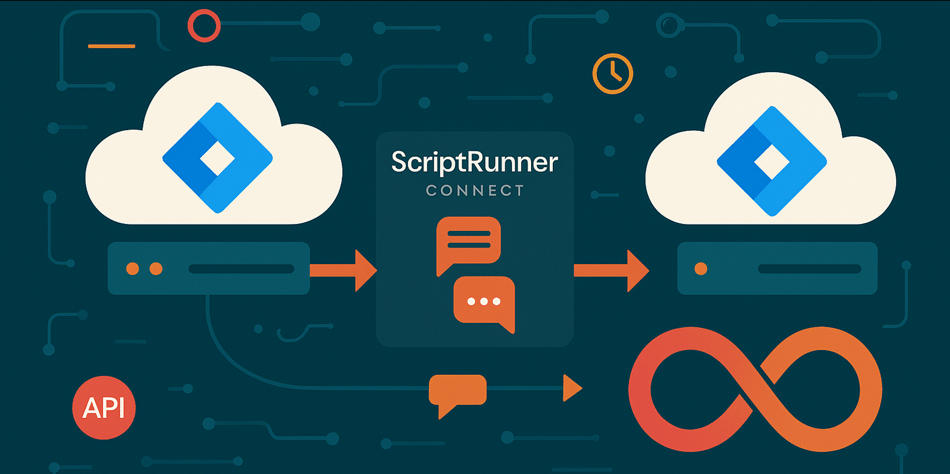
The Scenario: A Tale of Two Jira Instances
Picture this common integration scenario: You have two Jira Cloud instances that need to stay synchronized. When a user creates a comment in Instance A, it should appear in Instance B. And when someone comments in Instance B, it should appear in Instance A. Simple enough, right?
Here's what actually happens:
The Perfect Storm: How Loops Form
Step 1: The Innocent Beginning
- User creates a comment in sourceInstance (A)
- Content: "Hey team, we need to discuss the timeline"
- Author: Sarah Johnson (sarah@company.com)
Step 2: The First Automation Triggers
- Instance A's Jira Automation detects the comment creation
- Sends a webhook to ScriptRunner Connect with custom data containing:
- Issue key (PROJ-123)
- Comment body ("Hey team, we need to discuss the timeline")
- Author details (Sarah's account ID and display name)
Step 3: ScriptRunner Connect Processes the Event
- Receives the webhook from Instance A
- Executes your integration script
- Creates the comment in targetInstance (B)
- All looks good so far...
Step 4: The Loop Begins
- Instance B now has a new comment
- Instance B's Jira Automation detects this comment creation (because that's what you configured it to do)
- Sends a webhook to ScriptRunner Connect with the same custom data
- But now the "target" is Instance A
Step 5: The Chaos Multiplies
- ScriptRunner Connect receives the event from Instance B
- Creates the comment back in Instance A
- Instance A detects a new comment
- Sends webhook to ScriptRunner Connect
- Creates comment in Instance B
- Instance B detects a new comment
- And so it continues...
The Consequences: When Good Integrations Go Bad
This isn't just a theoretical problem. When loops occur, one of two things happens:
Scenario 1: The 15-Minute Timeout
ScriptRunner Connect has a 15-minute execution limit per script invocation. If your loop isn't stopped, your script will continue creating comments back and forth between instances until it hits this timeout. During those 15 minutes:
- Dozens or hundreds of duplicate comments pile up
- Both instances become cluttered with identical content
- Users receive notification spam for every duplicate comment
- Issue history becomes virtually unusable
- Your team's trust in the integration evaporates
Scenario 2: The 429 Hammer
Atlassian's API rate limiting exists for good reason—to protect platform stability and ensure fair usage across all customers. When your loop generates rapid-fire API requests, you'll encounter HTTP 429 Too Many Requests responses.
According to Atlassian's rate limiting documentation, the exact limits vary based on your authentication type and usage patterns, but they're designed to catch burst traffic—exactly what an infinite loop generates. The rate limiting system tracks:
- Per-user request costs
- Per-app request costs
- Combined app-and-user request costs
- Anonymous request costs
When you exceed these limits, Atlassian returns a 429 status code along with helpful headers like Retry-After (seconds to wait) and X-RateLimit-Reset (timestamp when the limit resets). But here's the problem: in an uncontrolled loop, your integration isn't checking these headers or implementing backoff strategies. It's just hammering the API as fast as possible.
The impact extends beyond your integration:
- Your app or user account gets temporarily throttled
- Other legitimate API operations from your organization may be affected
- You risk patterns that could lead to more severe rate limiting
- Your integration appears unreliable and poorly designed
The Solution: Identifying the Integration User
The elegant solution to this problem is surprisingly straightforward: prevent your integration from processing events that it created itself. If Instance A creates a comment in Instance B via your integration, your integration should ignore that comment when Instance B's automation fires.
But how do you identify which user created the integration action? This is where understanding Atlassian's authentication patterns becomes critical.
Step 1: Retrieve the Integration User's Account ID
Every API request to Jira Cloud is made with authentication. This authentication identifies which user (or service account) is making the request. When your ScriptRunner Connect script creates a comment, it does so using credentials configured in your ScriptRunner Connect workspace.
The first step in loop prevention is knowing who you are:
// Get the current user that the integration is running as
const myself = await sourceInstance.Myself.getCurrentUser();

console.log('Integration running as:', myself.displayName);
console.log('Account ID:', myself.accountId);
This code uses the /rest/api/3/myself endpoint to retrieve details about the authenticated user. The response includes:
accountId: The unique identifier for this user (this is what we need)displayName: The human-readable nameemailAddress: The user's email (if available)- Various other profile information
Critical Insight: This account ID represents your integration's identity. Every comment, issue update, or API action your integration performs will be attributed to this account.
Step 2: Compare Before You Create
Now that you know your integration's account ID, you can implement the loop prevention logic. The pattern is simple but powerful:
// Check that the comment was created by a different user than the integration
if (myself.accountId === event.body.comment.author.accountId) {
    console.log('Comment was created by the integration itself. Skipping to prevent loop.');
    return; // Prevent execution
}

// If we get here, the comment was created by a real user
// Safe to proceed with creating the comment in the target instance
This comparison happens at the very beginning of your integration logic, before any API calls to the target instance. It's your first line of defense against loops.
The Complete Pattern: A Real-World Implementation
Let's see this in action with a complete, production-ready example for synchronizing comments between two Jira Cloud instances:
import { HttpEventRequest } from '@sr-connect/generic-app/events/http';
import { IssueCommentCreatedEvent } from '@sr-connect/jira-cloud/events';
import { JiraCloudApi } from '@managed-api/jira-cloud-v3-sr-connect';
import SourceInstanceGeneric from './api/generic/source';
import TargetInstanceGeneric from './api/generic/target';

/**
 * Synchronizes comments from source Jira instance to target Jira instance
 * with loop prevention to avoid infinite comment creation cycles.
 *
 * @param event - HTTP event request containing the comment created event from source Jira instance
 * @param context - Script execution context with environment variables
 */
export default async function (event: HttpEventRequest<IssueCommentCreatedEvent>, context: Context<EV>): Promise<void> {
    // Construct Managed API manually by pulling connectionId from the Generic API Connection
    const sourceInstance = new JiraCloudApi(SourceInstanceGeneric.connectionId);
    const targetInstance = new JiraCloudApi(TargetInstanceGeneric.connectionId);

    try {
        // CRITICAL: Get the integration user's identity
        const myself = await sourceInstance.Myself.getCurrentUser();

        console.log('Integration identity:', {
            displayName: myself.displayName,
            accountId: myself.accountId
        });

        // LOOP PREVENTION: Check if the comment author is the integration itself
        if (myself.accountId === event.body.comment.author.accountId) {
            console.warn('Loop detected! Comment was created by the integration user.');
            console.log('Skipping comment creation to prevent infinite loop.');
            return; // Exit early - this prevents the loop
        }

        // Safe to proceed - this comment was created by a real user
        console.log('Comment was created by a real user. Proceeding with synchronization.');

        // Extract comment details
        const commentBody = event.body.comment.body;
        const sourceIssueKey = event.body.issue.key;

        // Determine the corresponding issue key in the target instance
        // (Your logic here - might involve custom fields, naming conventions, etc.)
        const targetIssueKey = await getCorrespondingIssueKey(sourceInstance, sourceIssueKey, 'CUSTOM_FIELD');

        // Create the comment in the target instance
        await targetInstance.IssueComments.addComment({
            issueIdOrKey: targetIssueKey,
            body: {
                type: 'doc',
                version: 1,
                content: [
                    {
                        type: 'paragraph',
                        content: [
                            {
                                type: 'text',
                                text: `[From ${event.body.comment.author.displayName}]: ${commentBody}`
                            }
                        ]
                    }
                ]
            }
        });

        console.log('Successfully synchronized comment to target instance');

    } catch (error) {
        console.error('Error synchronizing comment:', {
            message: error.message,
            issueKey: event.body.issue.key,
            commentId: event.body.comment.id
        });

        // Don't rethrow - log the error but allow the script to complete
        // This prevents retry loops on persistent errors
    }
}

/**
 * Helper function to map issue keys between instances
 * Retrieves the corresponding target issue key from a custom field in the source issue
 *
 * @param sourceInstance - The source Jira Cloud API instance
 * @param sourceKey - The issue key in the source instance
 * @param customField - The custom field ID that contains the target issue key
 * @returns The corresponding issue key in the target instance
 */
async function getCorrespondingIssueKey(sourceInstance: JiraCloudApi, sourceKey: string, customField: string): Promise<string> {
    const issue = await sourceInstance.Issue.getIssue({
        issueIdOrKey: sourceKey,
        fields: [customField]
    });
    return issue.fields[customField];
}
Understanding the Flow: What Happens in Each Scenario
Scenario 1: Real User Creates Comment
- Sarah creates a comment in Instance A: "Let's schedule the meeting"
- Instance A automation sends webhook to ScriptRunner Connect
- Script executes:
- Gets integration user account ID:
integration_user_123 - Checks comment author:
sarah_account_456 - Comparison:
integration_user_123 !== saran_account_456 - Proceeds to create comment in Instance B
- Gets integration user account ID:
- Instance B receives the new comment (created by
integration_user_123) - Instance B automation sends webhook to ScriptRunner Connect
- Script executes:
- Gets integration user account ID:
integration_user_123 - Checks comment author:
integration_user_123 - Comparison:
integration_user_123 === integration_user_123 - Exits early - loop prevented!
- Gets integration user account ID:
Scenario 2: Different Real Users Comment in Both Instances This is the beauty of the solution — it handles natural bidirectional communication:
- Sarah comments in Instance A: "Timeline looks good"
- Integration syncs to Instance B (as integration user)
- John comments in Instance B: "I have some concerns"
- Integration syncs to Instance A (as integration user)
- Both real comments are synchronized
- Both integration-created comments are ignored
- No loop occurs
Service Accounts: The Professional Touch
If you've read our article on Atlassian Service Accounts vs. API Tokens, you know that modern integrations should use Service Accounts rather than personal API tokens.
Service Accounts bring additional benefits to loop prevention:
Clear Identity: Service Accounts have distinctive display names and are clearly identifiable in audit logs. When you see "Integration Service Account" as the comment author, it's immediately obvious the comment came from automation.
No License Consumption: Service Accounts don't consume Jira licenses, making them cost-effective for integrations.
Improved Security: OAuth 2.0 credentials with scoped permissions provide better security than API tokens.
Audit Clarity: When troubleshooting loops or integration issues, Service Account activity is easy to distinguish from human user activity.
Using Service Accounts does require adapting your code to handle the different URL structure and OAuth authentication, but the benefits for production integrations are substantial.
Testing Your Loop Prevention
Before deploying to production, test your loop prevention thoroughly:
Test Case 1: Real User Comment
- Create a comment as a real user in Instance A
- Verify it appears in Instance B
- Verify it does NOT appear again in Instance A
- Check logs confirm loop prevention was triggered
Test Case 2: Bidirectional Communication
- User A comments in Instance A
- User B comments in Instance B
- Verify both comments are synchronized
- Verify no duplicates appear
Test Case 3: Integration User Direct Action
- Manually create a comment using integration credentials
- Verify the automation doesn't trigger
- Confirm loop prevention works as expected
Test Case 4: Rate Limit Simulation
- Temporarily reduce rate limit thresholds (if possible in test environment)
- Generate multiple rapid comments
- Verify graceful handling of 429 responses
- Confirm no data loss occurs
Common Pitfalls and How to Avoid Them
Pitfall 1: Checking the Wrong User
// WRONG - Checking event user instead of integration user
if (event.user.accountId === event.body.comment.author.accountId) {
    return; // This doesn't prevent loops!
}

// CORRECT - Checking integration user
const myself = await sourceInstance.Myself.getCurrentUser();
if (myself.accountId === event.body.comment.author.accountId) {
    return; // This prevents loops
}
Pitfall 2: Forgetting to Check in Both Directions
Each instance needs the same loop prevention logic. Don't just implement it in Instance A — Instance B needs it too.
Pitfall 3: Null or Undefined Checks
// Defensive programming
const myself = await sourceInstance.Myself.getCurrentUser();

if (!myself || !myself.accountId) {
    console.error('Failed to get integration user identity');
    return; // Fail safe - don't proceed if we can't identify ourselves
}

if (!event.comment?.author?.accountId) {
    console.error('Comment author information missing');
    return; // Fail safe - don't proceed with incomplete data
}

if (myself.accountId === event.comment.author.accountId) {
    return; // Now safe to compare
}
Pitfall 4: Copy-Paste Configuration Errors
When setting up bidirectional sync, teams often copy configuration between instances. Double-check that:
- Each instance points to the correct target
- API credentials are correctly configured
- Event listener triggers are properly set up
- The same loop prevention code exists in both integrations
The Bigger Picture: Integration Architecture Best Practices
Loop prevention is one component of robust integration architecture. Consider these broader principles:
Design for Failure: Assume network requests will fail, rate limits will be hit, and unexpected data will arrive. Your integration should handle all of these gracefully.
Implement Circuit Breakers: If your integration encounters repeated errors, implement logic to temporarily pause processing rather than hammering failing endpoints.
Use Feature Flags: Deploy loop prevention and other critical features behind flags so you can enable/disable them without code changes.
Version Your Integration: Tag your code versions and maintain clear documentation about what each version does. When issues occur, you can quickly identify what changed.
Monitor Everything: Log enough information to diagnose issues, but not so much that logs become overwhelming. Include:
- Loop prevention triggers
- Rate limit encounters
- Processing times
- Error rates
- Success/failure counts
Conclusion: Prevention is Better Than Cure
Infinite loops in integrations are like fires—much easier to prevent than to extinguish. The few lines of code that implement loop prevention (checking the integration user's account ID against the event author) save you from:
- Hours of debugging when loops inevitably occur
- Frustrated users dealing with notification spam
- Cluttered issue histories full of duplicate comments
- Rate limit throttling affecting your entire organization
- Damage to your integration's reputation
The pattern is straightforward:
- Identify who your integration is (get the integration user's account ID)
- Check each incoming event's author
- Skip processing if the author is your integration
- Add defensive code for edge cases
- Test thoroughly before deploying
Implement this pattern in every bidirectional integration you build. Your future self (and your users) will thank you.
Next Steps
If you're building ScriptRunner Connect integrations and want to take your development workflow to the next level, check out our External Coding series:
- ScriptRunner Connect External Coding Series #1: Your IDE, Your Rules - Set up professional local development
- ScriptRunner Connect External Coding Series #2: Testing Without Tears - Build comprehensive test suites
- ScriptRunner Connect External Coding Series #3: API Magic - Debug with real Atlassian data
- ScriptRunner Connect External Coding Series #4: AI-Powered Development - Accelerate development with AI
For more insights on Atlassian integration patterns, explore How to Connect Anything to Everything: A Journey Through APIs and Managed Solutions.
Are you wondering why we have decided on using Generic Connectors instead of Jira specific one(s) in this blogpost? The answer can be found in Simplify Your Atlassian Integrations: How Generic Connector Reduces Costs and Complexity
About the Author and Development Team
.png?width=225&height=300&name=IMG_7964%20(1).png) Rafael Pinto Sperafico, Senior Atlassian Consultant at Ambientia, specializes in designing robust integration architectures for enterprise Atlassian environments. With extensive experience building bidirectional synchronizations, API integrations, and automation solutions using ScriptRunner Connect, Rafael helps organizations avoid common integration pitfalls like infinite loops, rate limiting issues, and scalability challenges. This article reflects lessons learned from countless production integrations and the debugging sessions that follow when loop prevention isn't implemented correctly.
Rafael Pinto Sperafico, Senior Atlassian Consultant at Ambientia, specializes in designing robust integration architectures for enterprise Atlassian environments. With extensive experience building bidirectional synchronizations, API integrations, and automation solutions using ScriptRunner Connect, Rafael helps organizations avoid common integration pitfalls like infinite loops, rate limiting issues, and scalability challenges. This article reflects lessons learned from countless production integrations and the debugging sessions that follow when loop prevention isn't implemented correctly.
As part of Ambientia's expert Atlassian Consultants Team, Rafael works alongside experienced professionals dedicated to building reliable, maintainable integration solutions. Our team has encountered virtually every integration challenge imaginable—from simple loop scenarios to complex multi-system synchronizations—and developed proven patterns that prevent problems before they occur.
Ready to build bulletproof integrations that won't wake you up at 3 AM? Whether you're architecting your first bidirectional sync, troubleshooting existing integration loops, or scaling automation across multiple Atlassian instances, Ambientia's integration experts bring battle-tested solutions. We offer integration architecture reviews, ScriptRunner Connect implementation support, loop prevention audits, and comprehensive training on building production-grade automations. Contact Ambientia today to discuss how our proven integration patterns can save your team from the infinite loop trap.

Subscribe to our content
Do you want our content in your email? Among other things, we offer information on service management and customer experience development
More related

Atlassian
Simplify Your Atlassian Integrations: How Generic Connector Reduces Costs and Complexity
Simplify Atlassian integrations with ScriptRunner's Generic Connector, reducing costs and complexity by consolidating multiple connectors into one per instance.
Read more

Atlassian
Brewing the Perfect Glögi: ScriptRunner Connect's Holiday Integration Recipe
Learn how ScriptRunner Connect brews seamless JSM integrations with automated syncing, comments, and handovers—smooth as the perfect holiday glögi.
Read more